Log Now, one-handed
A big floating Log Now button on every main screen. Pick a category, add what you know, press Start now. Forgot to start? Choose started 5, 10 or 15 minutes ago.
Most work time never happens on shift. It goes into calls, emails, texts and travel, often after hours. OverTick captures all of it in a tap, shows it on a running timeline, and keeps live totals for today, this week and this fortnight, split into work hours and outside work hours.
Get OverTick
Coming soonComing soon to the App Store for iPhone, with native layouts for iPhone Duo.
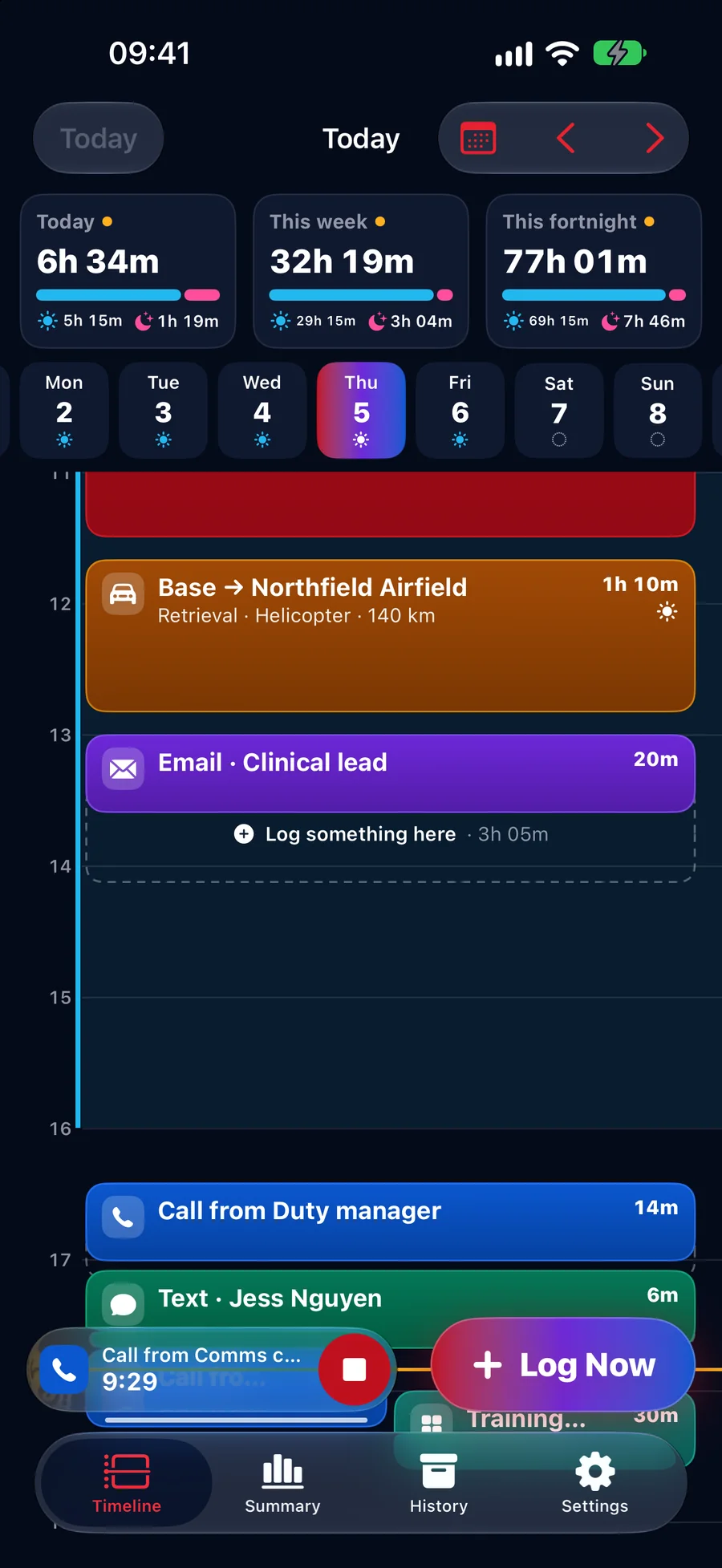

A big floating Log Now button on every main screen. Pick a category, add what you know, press Start now. Forgot to start? Choose started 5, 10 or 15 minutes ago.
Your day as colour-coded blocks sized by duration, with a live now line and tinted work-hours bands. Swipe between days, tap a gap to fill it in afterwards.
An always-visible ticker with three live totals, each split into work and outside work. The numbers count up while a timer runs.
Set your working days, hours and roster pattern once. Every entry is classified for you, split correctly when it crosses a boundary, and you can override any single entry.
The timer is a start timestamp, not a counting process, so it keeps going through backgrounding, app termination and reboots. Run a call during travel in parallel when you need to.
See and stop the running timer from the Dynamic Island and Lock Screen. Add the ticker as a Home Screen or Lock Screen widget. Log Now from Control Center, Shortcuts or the Action button.
Choose weekly or fortnightly, the day and time the period ends, and the date the fortnight starts from. Past periods are archived, never deleted, and stay browsable in History.
Export any period or a custom date range as CSV and PDF, ready for timesheets and overtime claims.
Keep a saved list of sites for travel and work entries, and reuse recent From and About values as one-tap suggestions. Contacts access is optional.
Only the fields for the category you choose, and everything except the category is optional. Icon plus colour on every block, so categories never rely on colour alone.
From, About, incoming or outgoing, length of call.
From, subject, time spent.
From, About, time spent.
From site to To site, purpose, car, plane, helicopter or other, optional kilometres, duration.
Site, role or shift type, start and end, break minutes.
Title, About, duration, so nothing gets left out.
Illustration with example figures, not a screenshot.
The time-spent ticker
Tap the ticker for a summary of the period: a breakdown by calls, email, SMS, travel and work, daily bars, and a comparison with the previous period. The same ticker is available as a Home Screen and Lock Screen widget.
OverTick uses each posture of iPhone Duo for something useful, and the current entry, scroll position and any running timer carry over seamlessly when you fold or unfold.
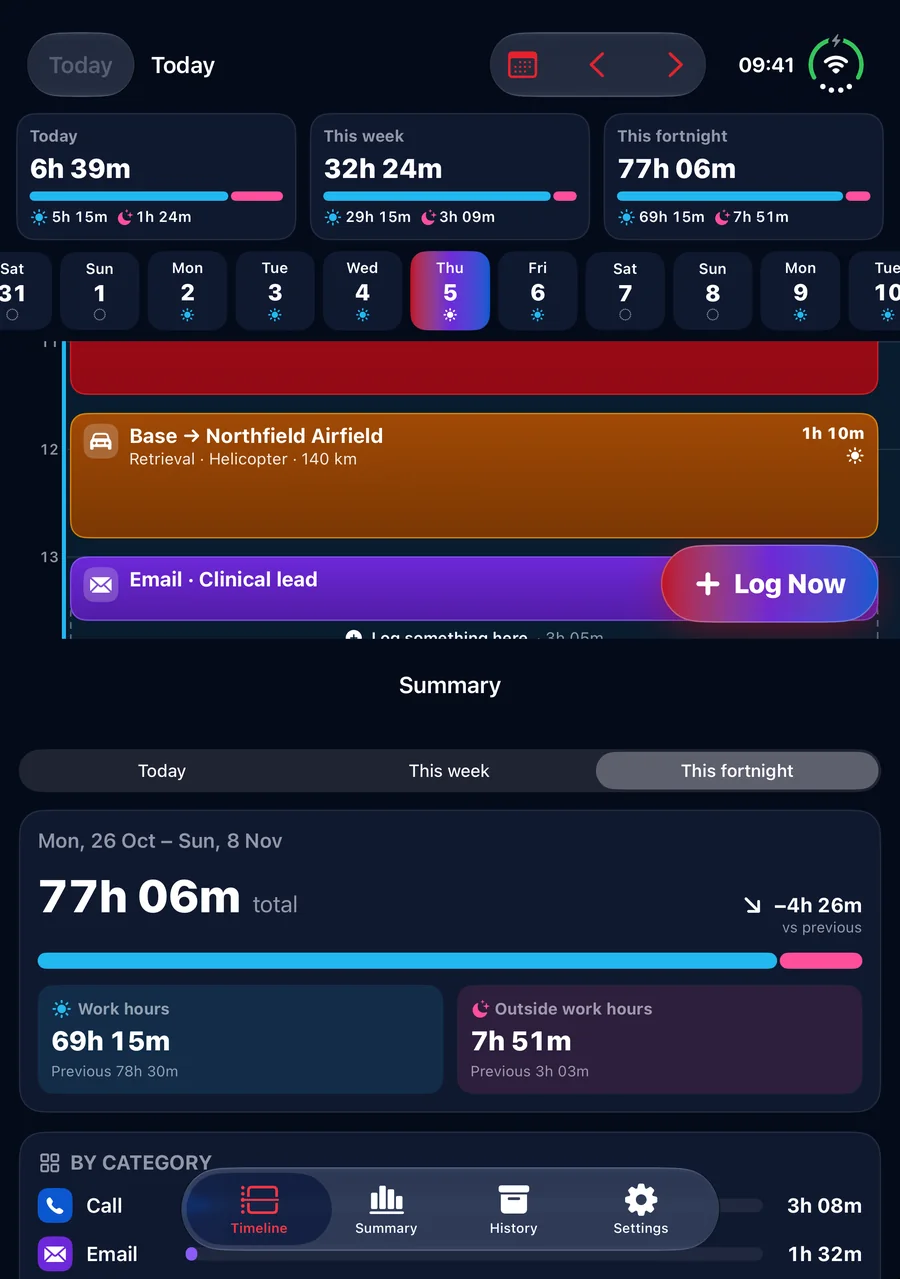
A true two-pane layout: the timeline and ticker in one pane, and the period summary or the selected entry’s editor in the other.
The top half shows the timeline and running timer. The bottom half holds Log Now and Stop, right under your thumb.
The current entry, scroll position and any running timer carry over when you fold or unfold.
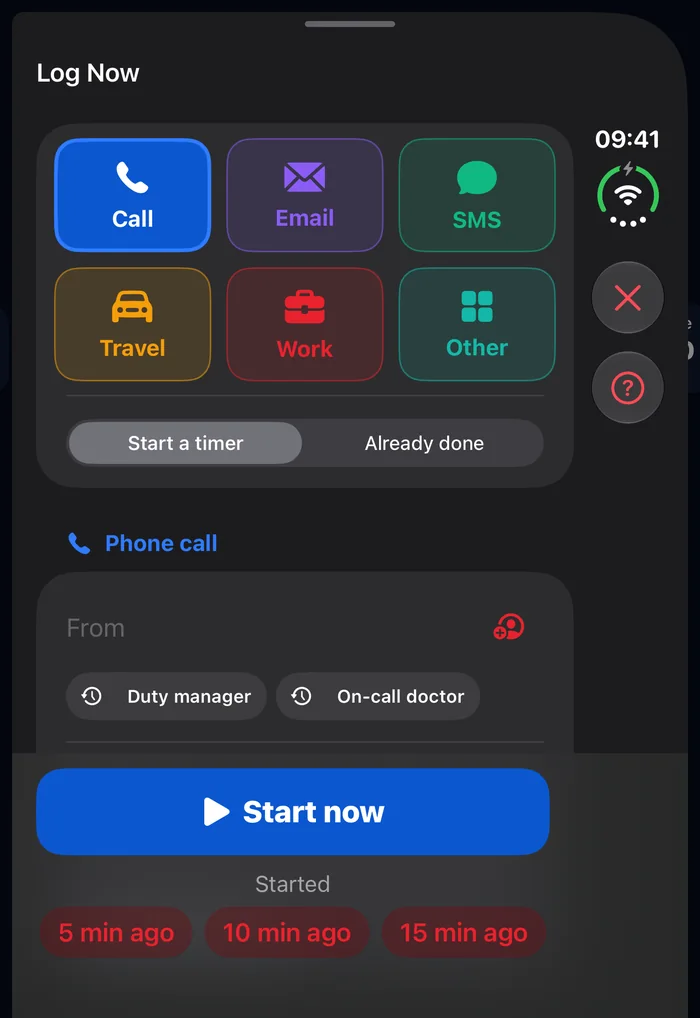
A compact layout on the outer display with the ticker, the running timer and a Log Now button.
OverTick on iPhone and iPhone Duo, from the App Store. Select any panel to view it larger.
Private by design
OverTick keeps everything on your device unless you turn on iCloud sync, which goes through your own Apple Account. There are no accounts with Code 1 Studios, no ads and no tracking, and a full privacy manifest ships with the app.
Built to be usable by everyone. Full Dynamic Type, VoiceOver labels on every control and timeline block, Reduce Motion, and colour-blind-safe categories that always pair an icon with the colour. Light and dark themes both meet WCAG AA contrast.
Coming soon to the App Store for iPhone.